Connect Your Wallet to PancakeSwap
Connect your wallet
Section titled “Connect your wallet”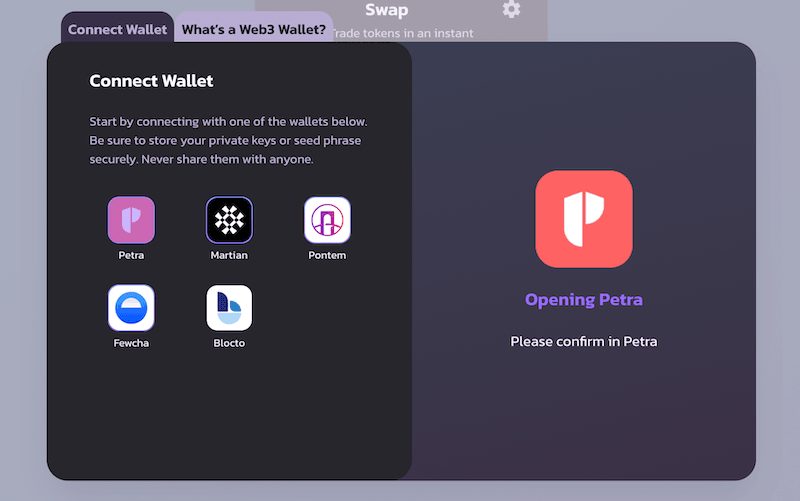
- Click “Connect Wallet” on the top-righthand corner.
- For most of the browser extension wallets, simple select their icon, and follow the instruction in the pop-up window.
- For Blocto, please use your Email address to register or sign in. To learn more, please check out here.
Connect to Aptos Mainnet
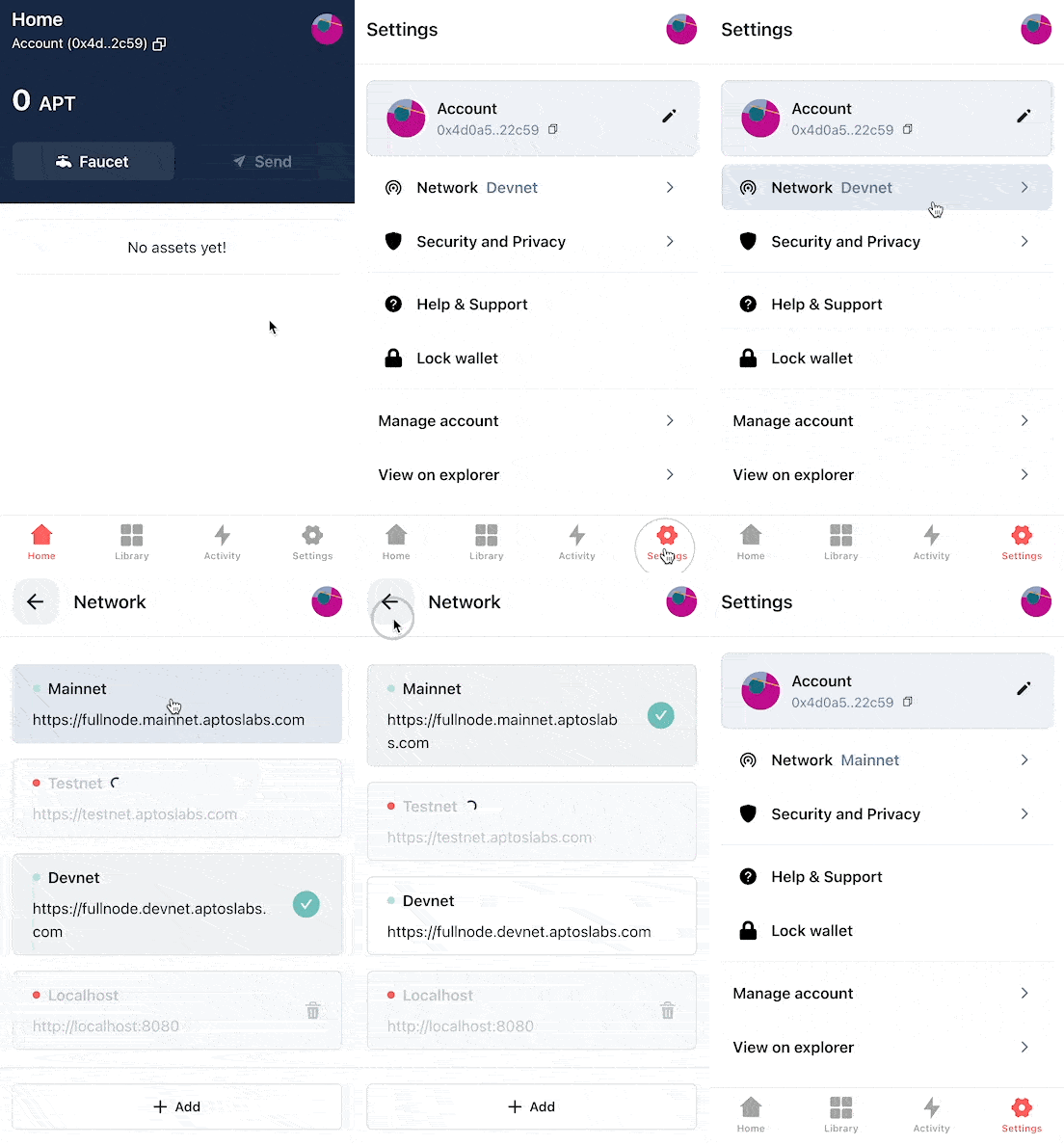
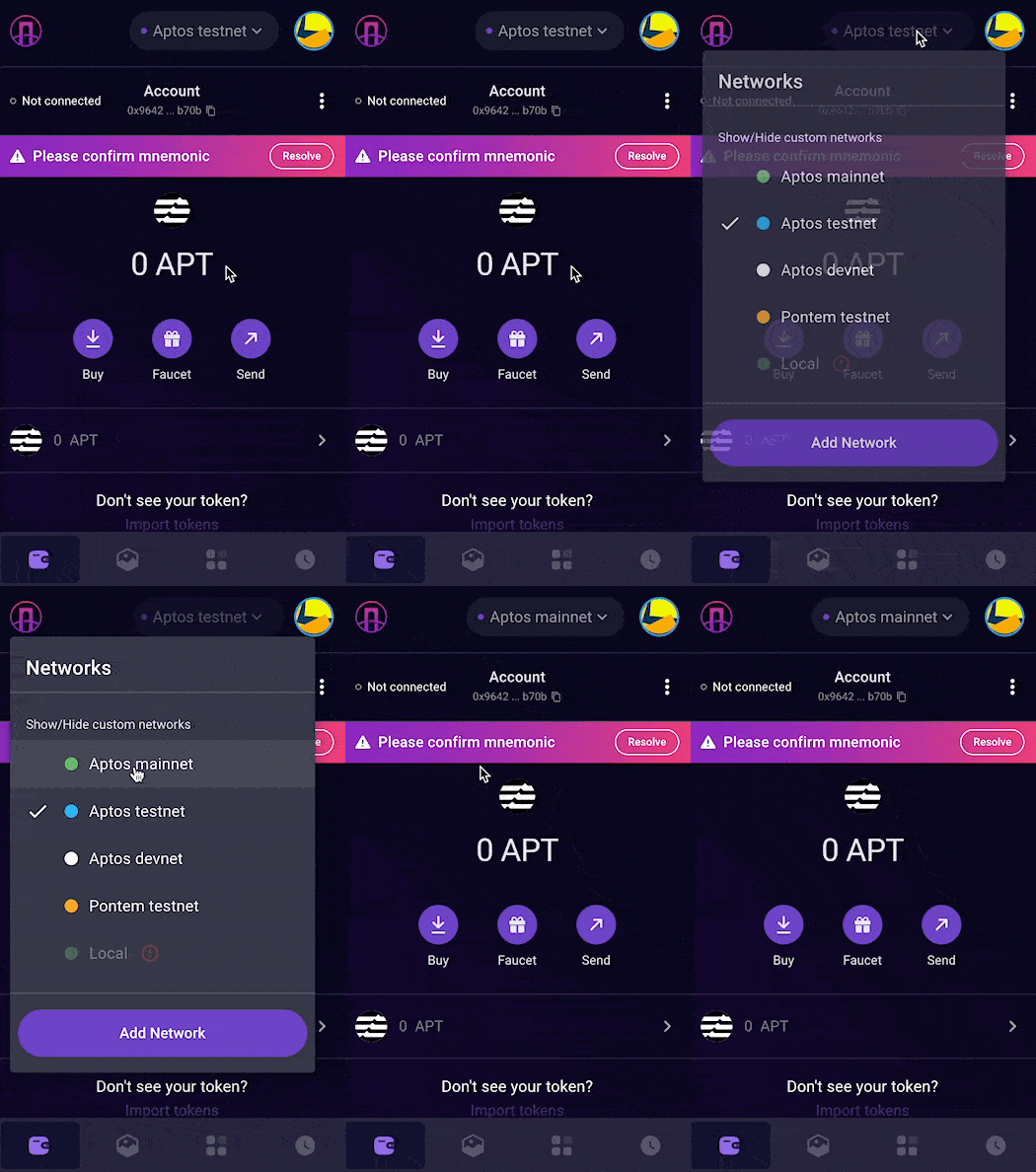
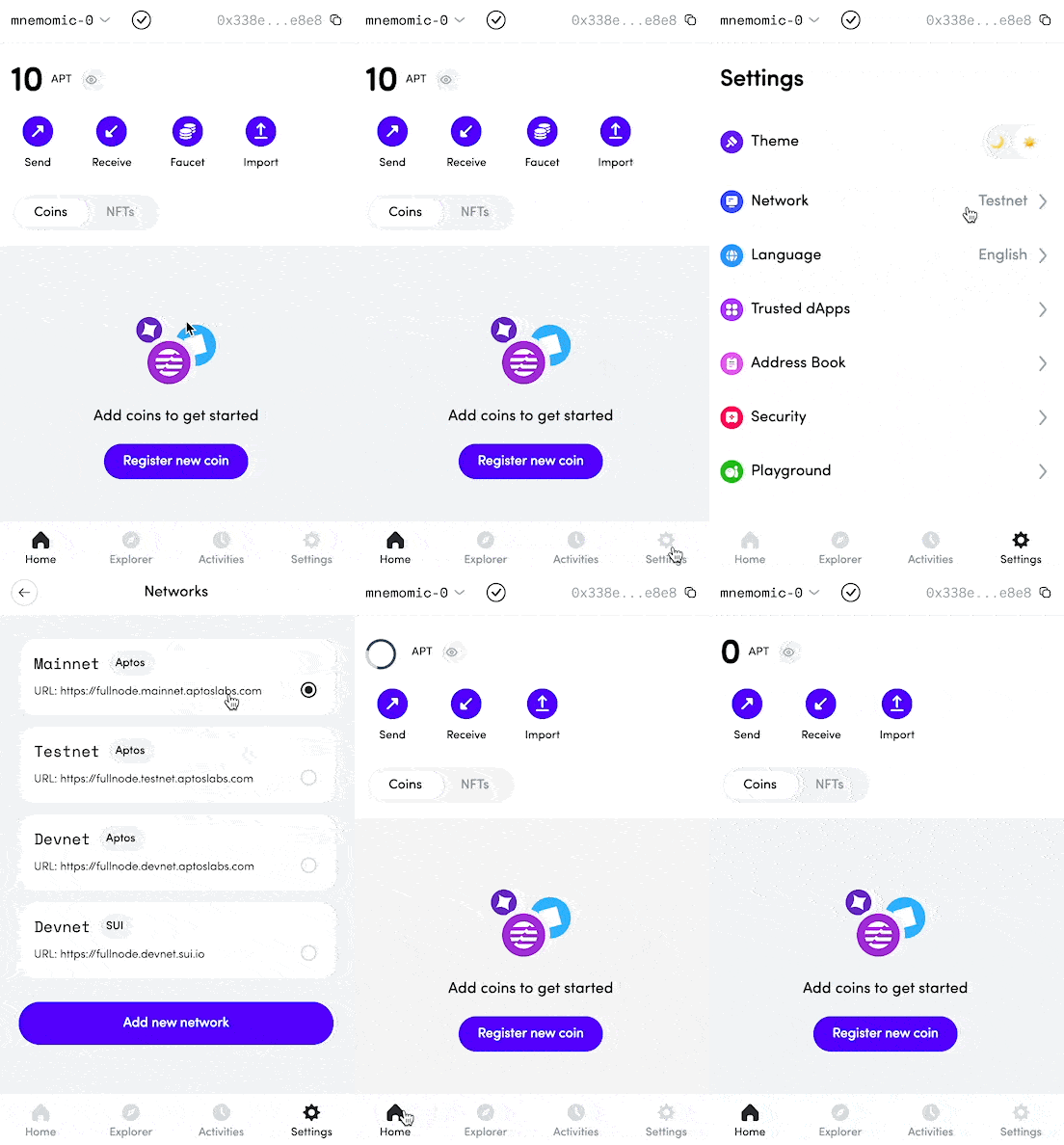
Section titled “Connect to Aptos Mainnet”Aptos has multiple networks, including multiple devnets and testnets. But to use PancakeSwap on Aptos Chain, please be sure your wallet is connected to Aptos Mainnet.
Here’s how: