Solana Farming
How to Use Farms on PancakeSwap SOL V3
Section titled “How to Use Farms on PancakeSwap SOL V3”Farming lets you earn additional rewards on top of standard liquidity provider (LP) fees when you provide liquidity to eligible pools. Here’s how to get started via: https://solana.pancakeswap.finance/liquidity-pools/
1. Filter to View Farms
Section titled “1. Filter to View Farms”-
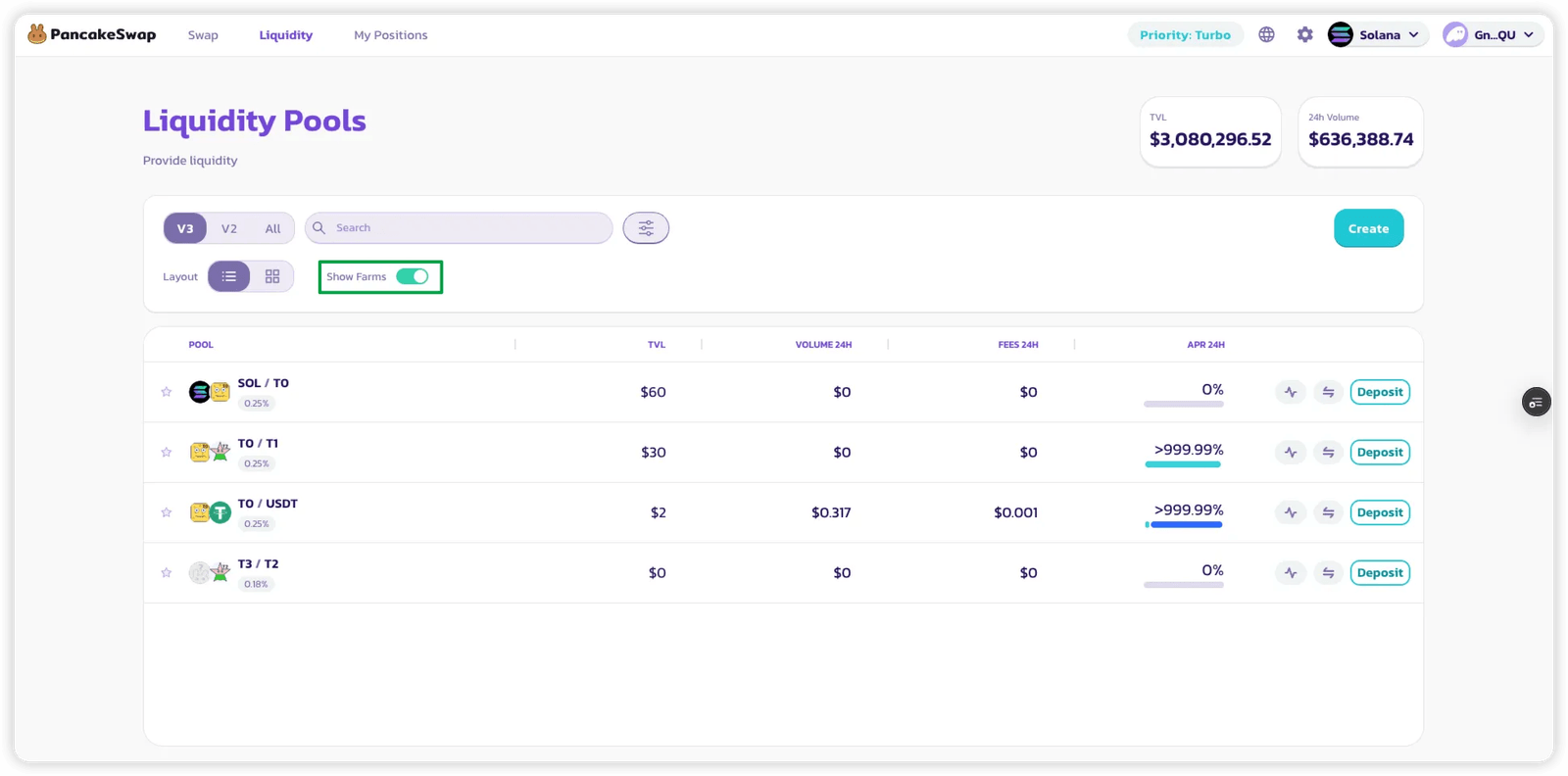
On the Pool List page, toggle the “Show Farm only” filter to display only pools that offer farming rewards.
2. View APR Breakdown
Section titled “2. View APR Breakdown”-
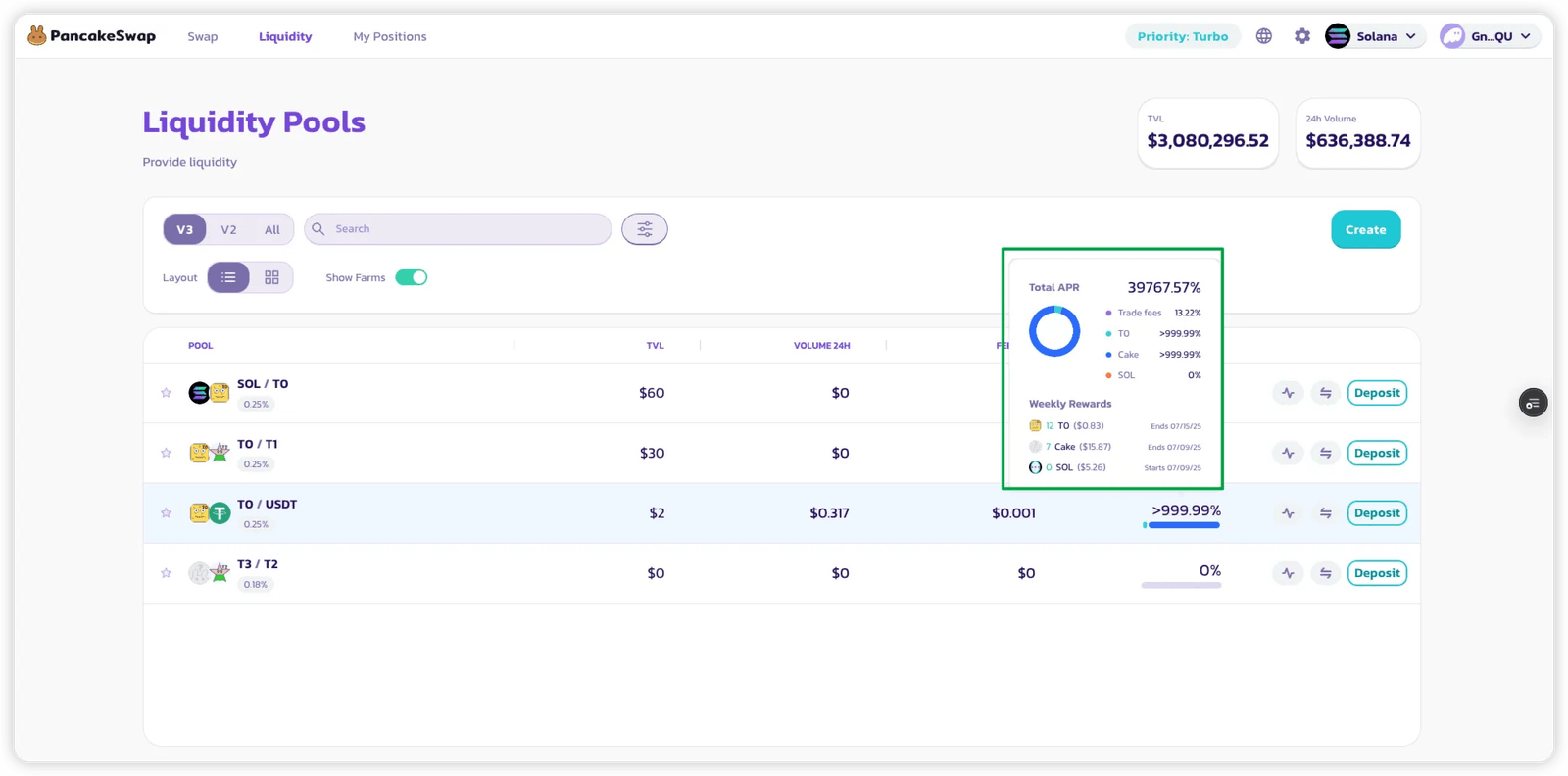
Hover over or click on the APR displayed next to a pool.
-
A breakdown will appear showing:
- LP rewards from trading fees.
- Additional rewards from farming incentives.
- An estimated weekly reward in tokens for that pool.
3. Start Earning Farming Rewards
Section titled “3. Start Earning Farming Rewards”- Simply add liquidity to a pool that has farming enabled.
- Once you hold an active (in-range) position:
- You will start earning farming rewards automatically when swaps occur.
- No need to stake your LP NFT—rewards accrue directly to your position.
4. Track Your Rewards
Section titled “4. Track Your Rewards”- Navigate to the “My Positions” page to view your:
- Active LP positions.
- Farming rewards accumulated for each position.
5. Claiming Your Rewards
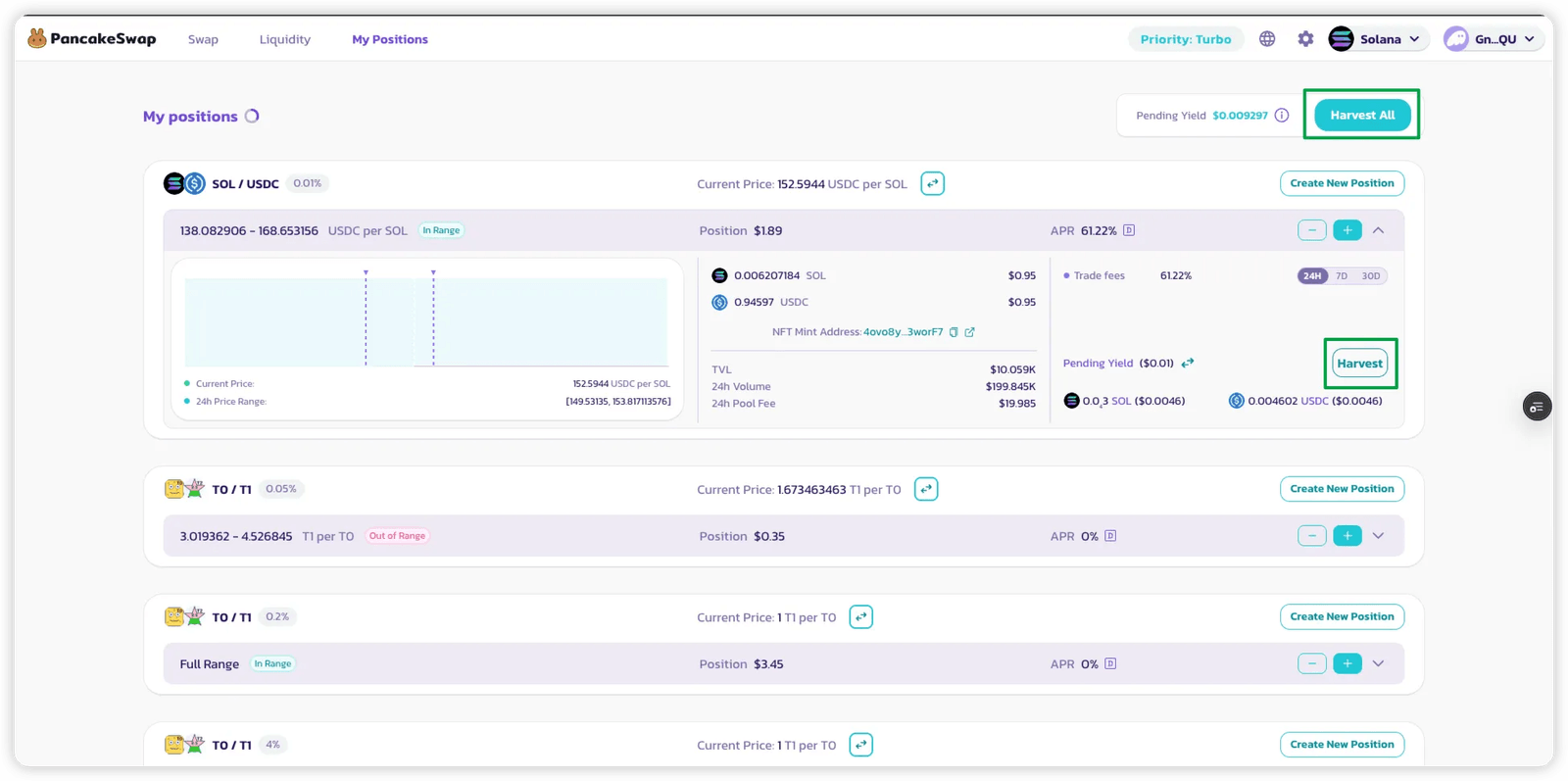
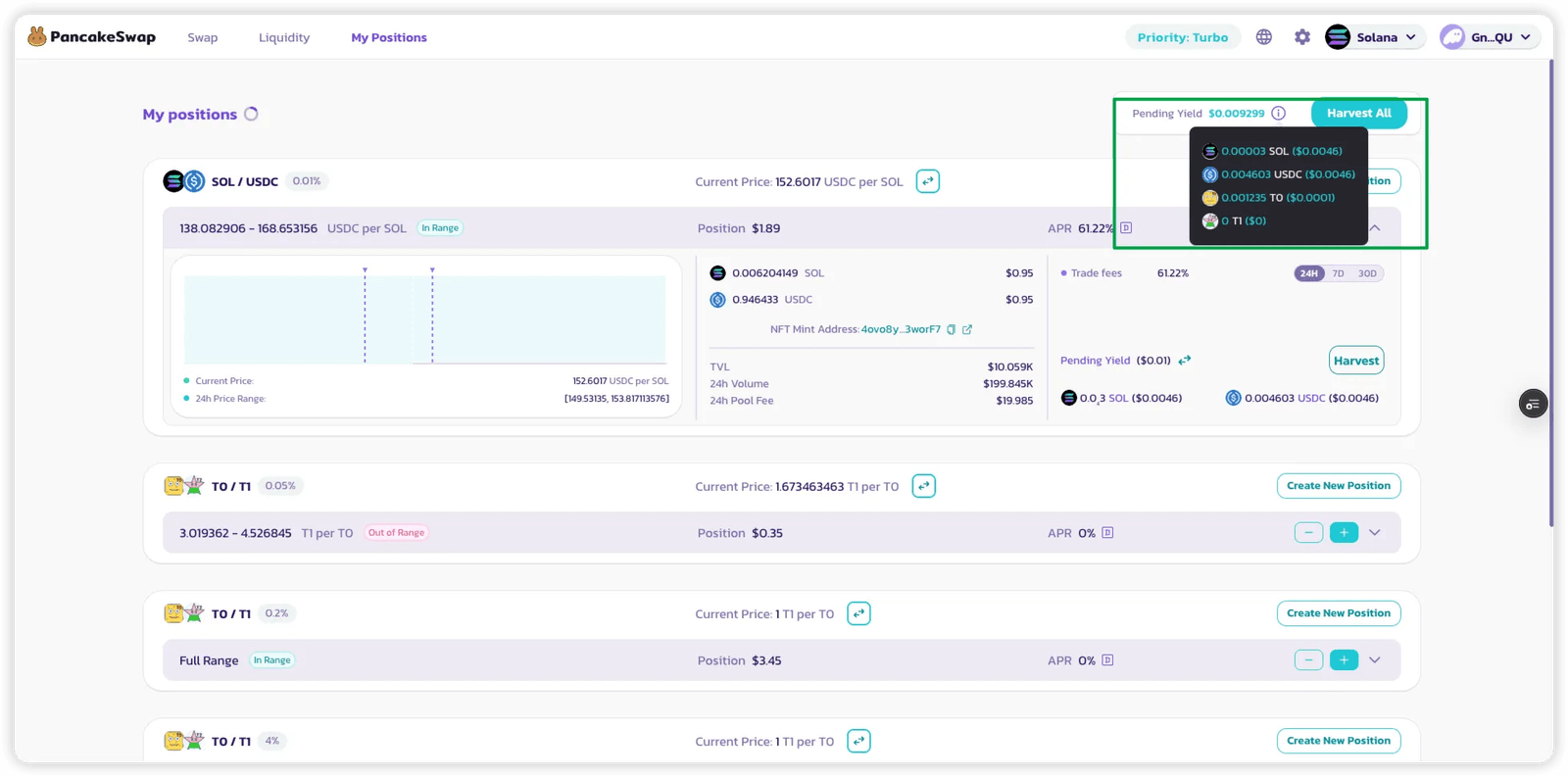
Section titled “5. Claiming Your Rewards”- Click “Harvest” on a position to harvest both:
- LP rewards (from trading fees)
- Farming token rewards (if applicable)
- Use “Harvest All” to collect rewards from all active positions in a single transaction.